Macro
Welcome to the Macro documentation!
This documentation is a work-in-progress, so please forgive our appearance as we add material.
All feedback is welcome and please report and errors or omissions through the MacroEnergy.jl issues page.
What is Macro?
Macro is a bottom-up, multi-sectoral infrastructure optimization model for macro-energy systems. It co-optimizes the design and operation of user-defined models of multi-sector energy systems and networks. Macro allows users to explore the impact of energy policies, technology costs and performance, demand patterns, and other factors on an energy system as a whole and as separate sectors.
The main features of Macro include:
- Graph-based representation of the energy system, facilitating clear representation and analysis of energy and mass flows between sectors.
- "Plug and play" flexibility for integrating new technologies and sectors, including electricity, hydrogen, heat, and transport.
- High spatial and temporal resolution to accurately capture sector dynamics.
- Designed for distributed computing to enable large-scale optimizations.
- Tailored Benders decomposition framework for optimization.
- Open-source built using Julia and JuMP.
Structure of the documentation
The documentation contains five main sections:
Getting Started: How to install Macro and run your first cases
Tutorials: Long-form guides with worked examples, intended to help you learn how to use Macro
Guides: Short guides which walk you through how to achieve specific tasks, intended to be a day-to-day reference when working with Macro
Manual: A detailed description of Macro's components and features
Reference: A function reference for Macro's API
Recent changes
<!– BEGIN GENERATED RECENT CHANGES –>
0.2.4 - 2026-09-10
Changed
- Skip Julia CI tests when changes are confined to
CHANGELOG.md,README.md, ordocs/, while retaining documentation builds and a consistentCI resultcheck that reports successful tests or an intentional skip.
Fixed
- Removed
[skip ci]from automated changelog commit messages so release tags pointing to those commits can trigger documentation deployment.
For the full release history, see the changelog. <!– END GENERATED RECENT CHANGES –>
Macro development strategy
Macro is a very flexible tool for modelling energy systems. However, that flexibility also means the core architecture and functions are complex and difficult to use correctly.
To make Macro as useful and accessible to the widest audience possible we designed and developed it with three layers of abstractions in mind, each serving a different user profile:
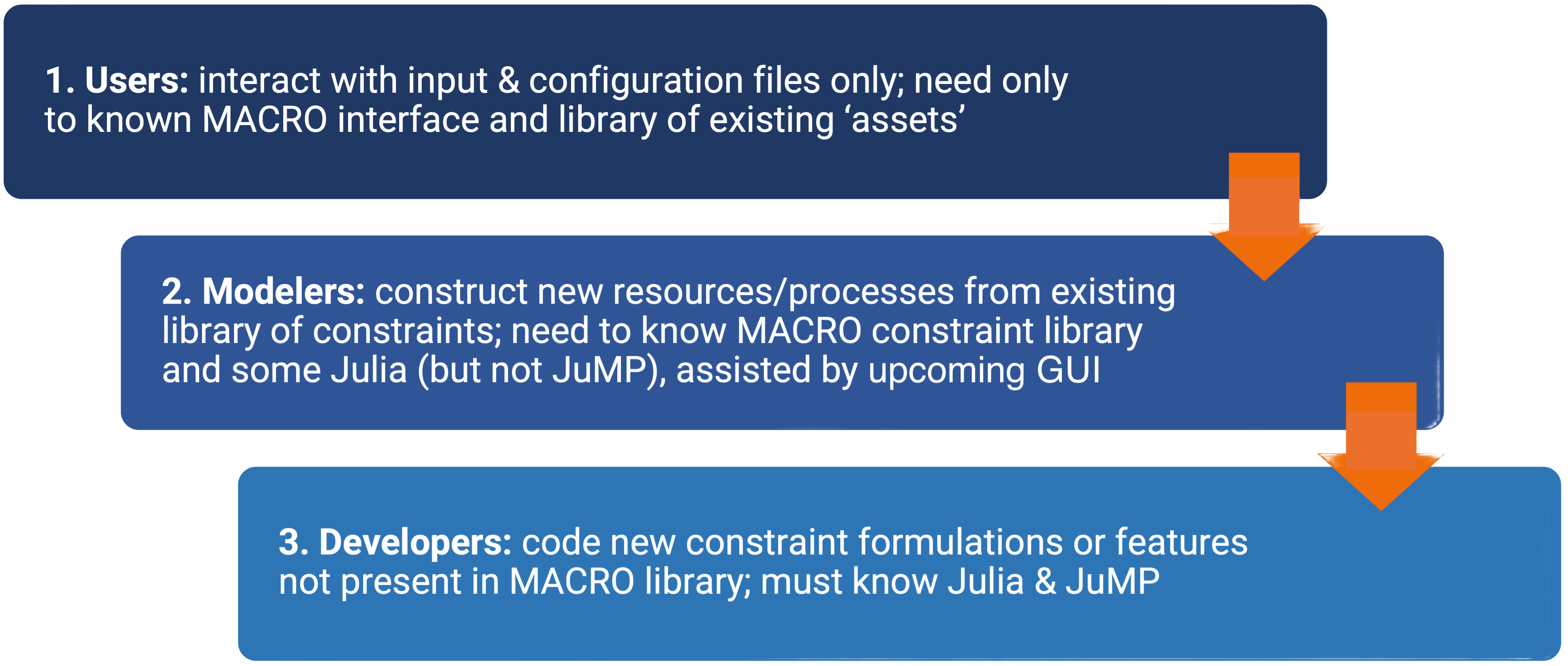
Due to these abstractions, users and modelers will be able to achieve their goals without needing to understand every aspect of Macro. The guides section of the documentation has guides for users, modelers, and developers.